
HUGE Camera Raw 18.3 Update - What Lightroom Users Need To Know
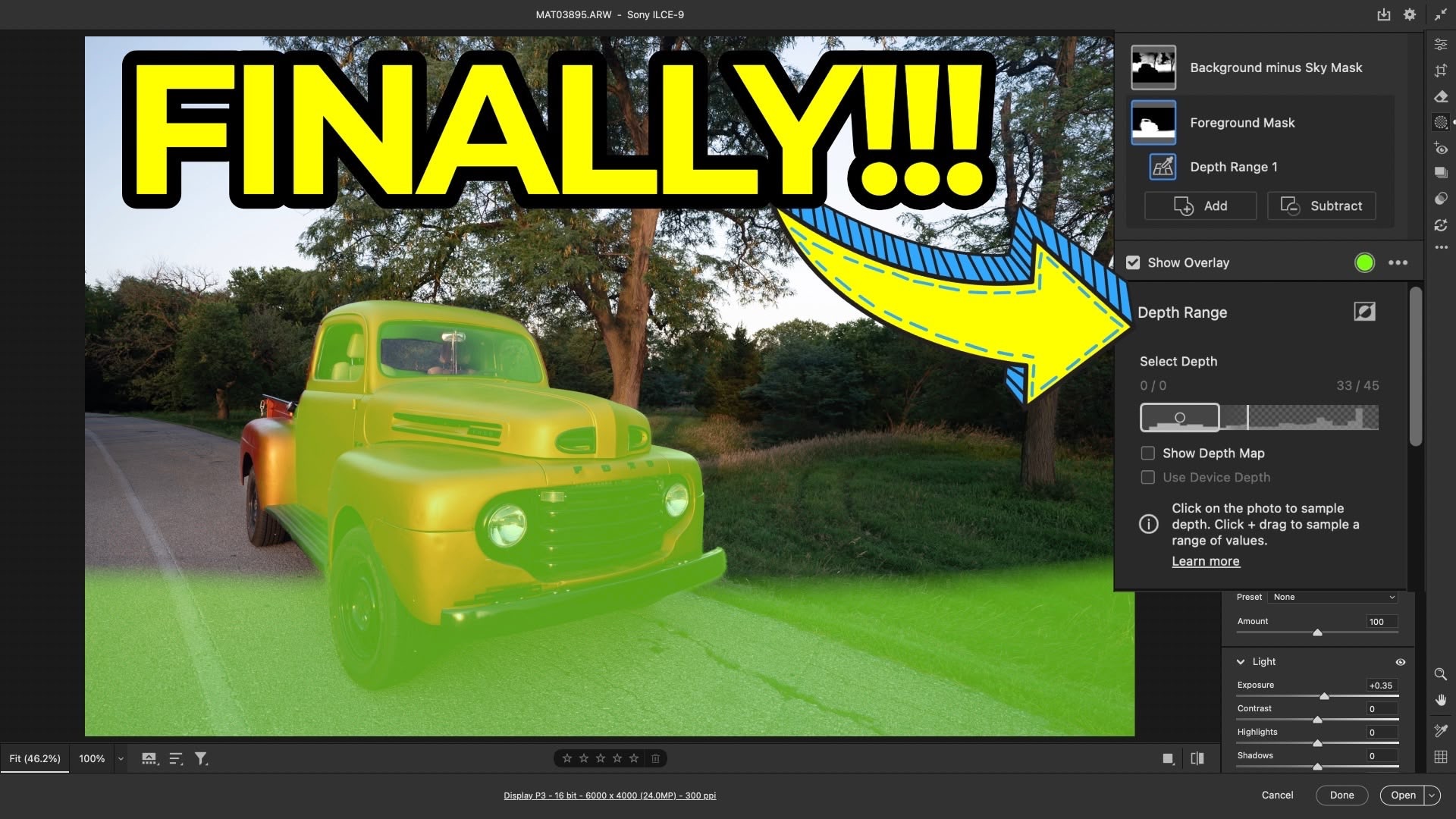
If you use Lightroom, you are already using Adobe Camera Raw (ACR). It is the silent engine under the hood that powers your entire editing workflow. While Lightroom recently received its 9.3 update, the latest version of ACR (18.3) has introduced several sophisticated tools that haven't quite made it to Lightroom yet.
For enthusiasts who want to push their editing further, accessing ACR through Adobe Bridge or Photoshop unlocks professional-grade features that solve long-standing geometric and masking challenges.
1. Cinematic Precision: Anamorphic De-Squeeze
Anamorphic lenses are no longer just for big-budget film sets; many mobile and mirrorless shooters are using them to capture that distinct, widescreen cinematic look. However, the raw files come out "squeezed."
Previously, you had to jump through hoops to correct this. Now, ACR includes a dedicated Anamorphic section within the Crop panel. You can select common ratios like 1.33x, 1.6x, or 2.0x, or use a manual slider to perfectly de-squeeze your image. This ensures your proportions are accurate while maintaining that ultra-wide perspective.
2. Natural Portraits: The Projection Slider
Have you ever taken a wide-angle selfie or a group shot where the people at the very edges look "stretched"? This is a common optical distortion.
The new Projection slider under the Geometry tab is designed specifically for this. By adjusting it, you can "push" the pixels at the edges back into a natural shape. It’s particularly effective because it preserves the proportions of subjects in the center of the frame while fixing the distortion on the periphery. Just remember to use the Constrain Crop checkbox to keep your frame tidy.
3. Intelligent Selection: Any-Image Depth Range Masking
This is perhaps the most significant update. Previously, Depth Range Masking was only available for images with embedded depth data (like iPhone Portrait Mode shots).
In ACR 18.3, the software can now dynamically generate a depth map for any photo, including those from your DSLR or Mirrorless camera.
-
How it works: Use the dropper to pick a point in your foreground or background.
-
Precision: It can distinguish between overlapping elements, like trees in a mid-ground versus a distant mountain range.
-
Refinement: You can use the "Show Depth Map" overlay to see exactly what’s being selected and use sliders to adjust the "fall-off" for a seamless transition.
A Vital Workflow Note
Because these features are currently exclusive to ACR, Lightroom (and Lightroom Classic) cannot render these specific edits yet. If you apply a Projection correction or a Depth Mask in ACR and then open the original DNG in Lightroom, the edits won't appear.
The Workaround: Once you finish your specialized edits in ACR, export the file as a TIFF or high-quality JPEG. You can then bring that "baked" file into Lightroom to finish your standard color grading and organization.
The Only Course Designed to Help You Use Lightroom Everywhere!


