
The End of Manual Keywording in Lightroom?
Life moves fast—literally. I recently completed a 3,000-mile move back to Northern Idaho. While my studio is currently in transition, the world of photo editing doesn't stop. Adobe just released the Lightroom 9.3 update, and it’s packed with features that move away from simple sliders and into more intelligent, intuitive workflows.
If you’re looking to sharpen your editing process, here are the most impactful changes in this version.
1. Intelligent Search: Say Goodbye to Keywording
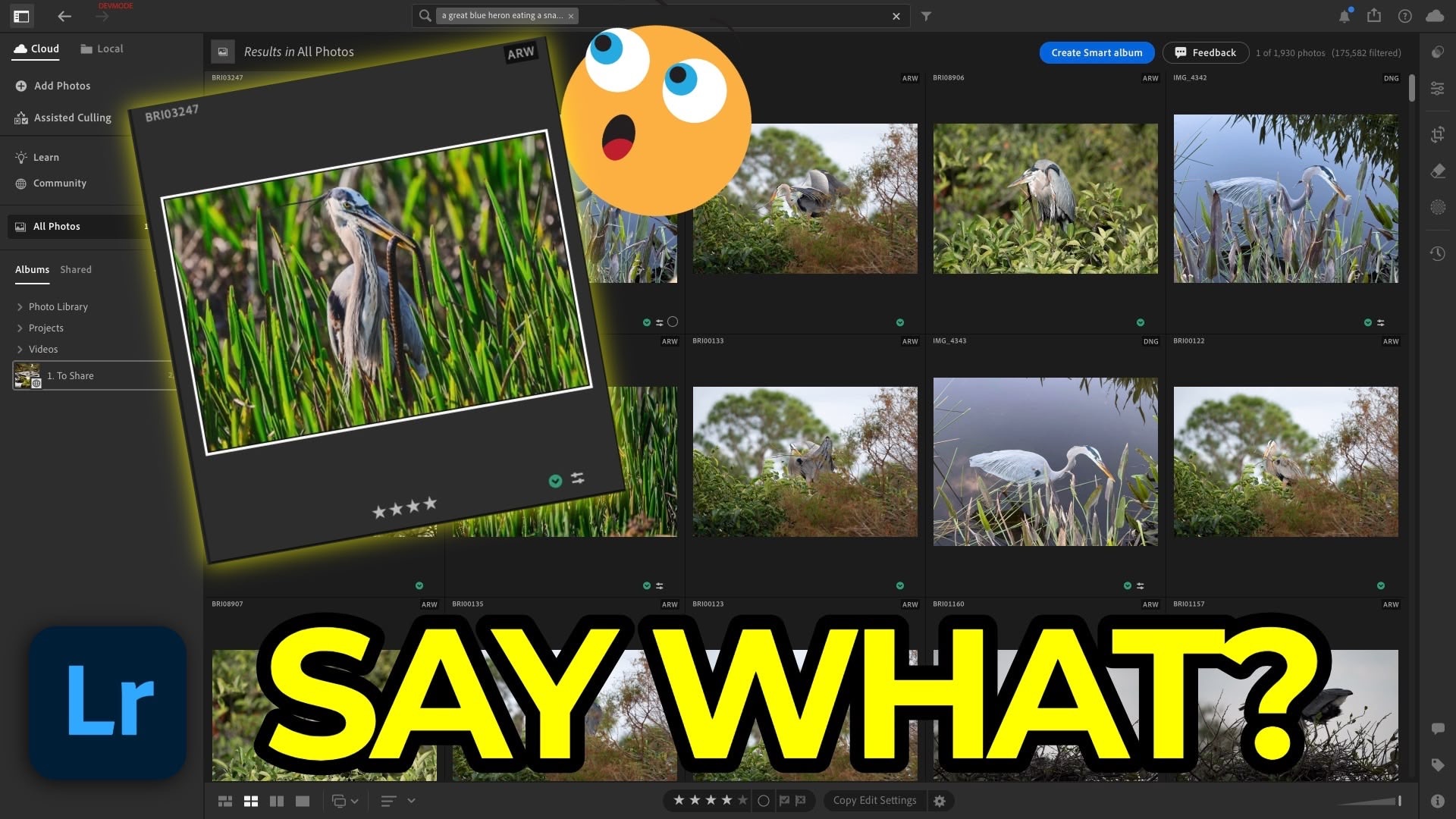
For many of us, keywording is the chore we always mean to do but never quite finish. Lightroom 9.3 introduces a natural language search for cloud-based libraries that changes the game.
Instead of searching for tags you forgot to add, you can now search for the content of the photo. If I type "great blue heron eating a snake," Lightroom analyzes the visual data of my 170,000+ images and finds that specific shot instantly. This semantic search understands context—like "man on a pier with a fishing rod"—even if the metadata is completely empty. It’s a massive time-saver for those of us who would rather be shooting than tagging.
2. Precise Composition: Zoom While Cropping
It sounds like a small tweak, but for anyone who obsesses over composition, this is a huge win. Previously, you were stuck at a fixed view while in the crop tool. Now, you can use Command/Control +/- to zoom in and out or pan around while the crop box is active. This allows you to check critical sharpness or align fine details at the edges of your frame without having to commit to the crop first.
3. Visual Planning with Mood Boards
Lightroom now integrates with Firefly to create Mood Boards. By selecting a group of images (up to 10 at a time) and sending them to the mood board interface, you can arrange, layer, and add text to your photos.
-
For Educators: Use it to compare various composition or editing techniques
-
For Professionals: Create a visual "shot list" or inspiration board to share with clients via a web link.
-
For Enthusiasts: Use it to plan the "vibe" of a specific project or travel series.
4. More Advanced Photoshop Workflows
If your workflow involves moving between Lightroom and Photoshop, you finally have more control. Under Preferences > Edit in Photoshop, you can now specify your default file format (TIFF, PSD, or PSB).
This is particularly important for HDR photographers. You can now set independent color spaces and bit depths for SDR and HDR files, ensuring that when you round-trip a photo for advanced retouching, it maintains the exact technical specifications you need for high-end output.
5. Film-Inspired Presets
You’ll now find a new "Film Inspired" category in the Premium Presets browser. These aren't your typical heavy-handed filters. They offer a more nuanced starting point for your edits. Remember, you can use the Amount Slider to dial back the intensity or dive into the edit stack to see exactly which curves and color grades were used to create the look.
It's Time to Learn How To Use Lightroom Everywhere!
If you enjoyed this topic and want to learn how to get the most out of Lightroom's cloud-based ecosystem on the desktop, smartphone, and tablet, then you should check out my Lightroom Everywhere course! It has over 12 hours of easy-paced lessons that'll teach you how to make the most out of Lightroom Desktop, Mobile, and Web.
The Only Course Designed to Help You Use Lightroom Everywhere!


